On this page
Home page
Here is the traceability management home page with all the registered dispensers and access to the various functions:
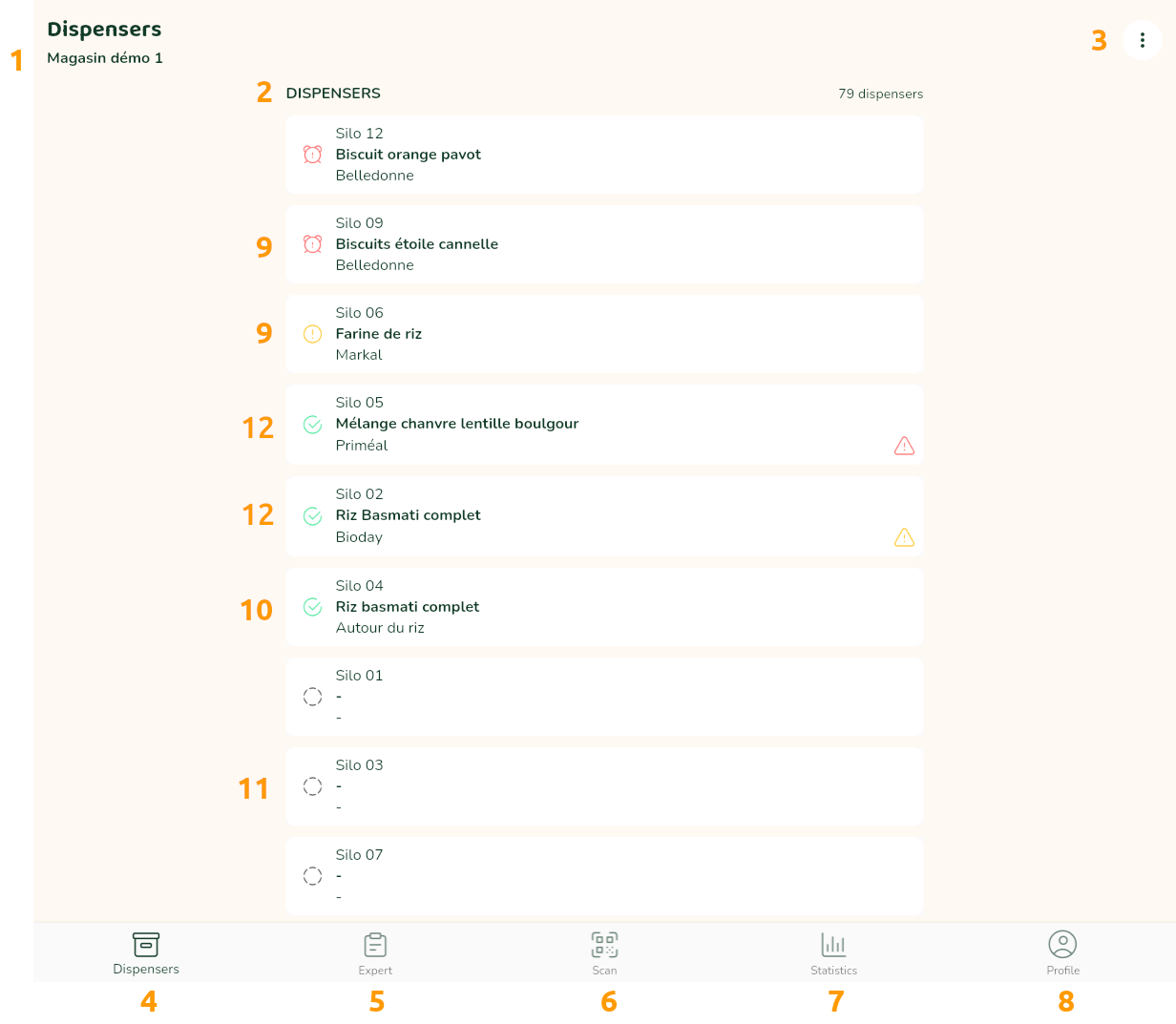
- The name of your shop
- The list of your dispensers with the traceability status
- The global menu
- Return to this home page
- Access to management functions (cleaning tasks, order list, catalogue)
- Scanning dispenser QR codes
- Access to statistics about your bulk department
- Access to your account information
- Dispenser containing a product whose use-by or best-before date is short or exceeded
- Dispenser containing a compliant product
- Empty dispenser containing no product
- Dispenser containing a product whose secondary shelf life is short or exceeded
In case the use-by date or best-before date, or the secondary shelf life is short or exceeded, clicking on the corresponding icon will display the corresponding expiry date.
The features available via the menu (3, more_vert button at top right) are:
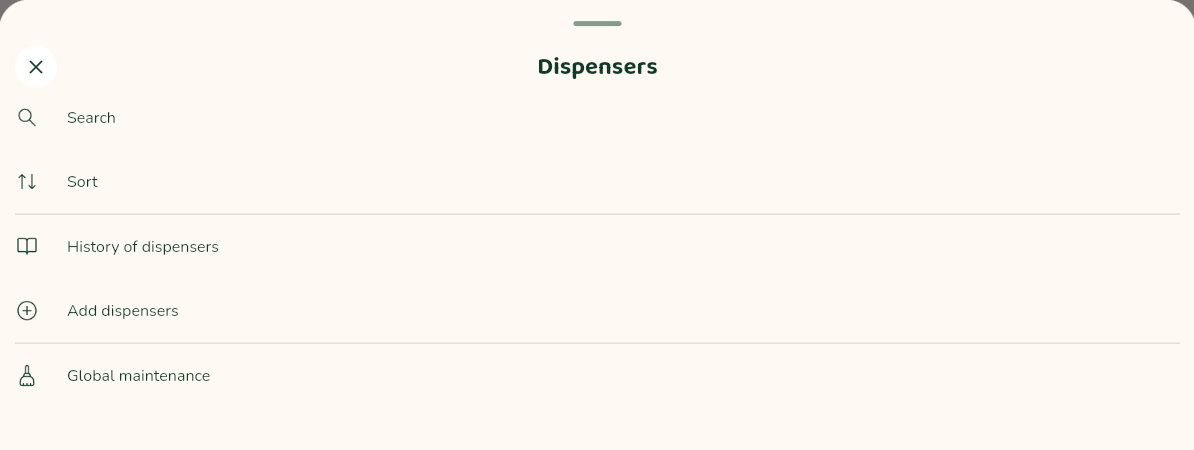
- Searching for a dispenser: this can be done by dispenser name, product name, brand name or PLU code if you are using the shop catalogue.
- Sorting of dispensers by decreasing shelf life or dispenser code
- History of traceability, cleaning and scrapping (access to download logbooks)
- Add additional dispensers
- Access to global shelf maintenance records